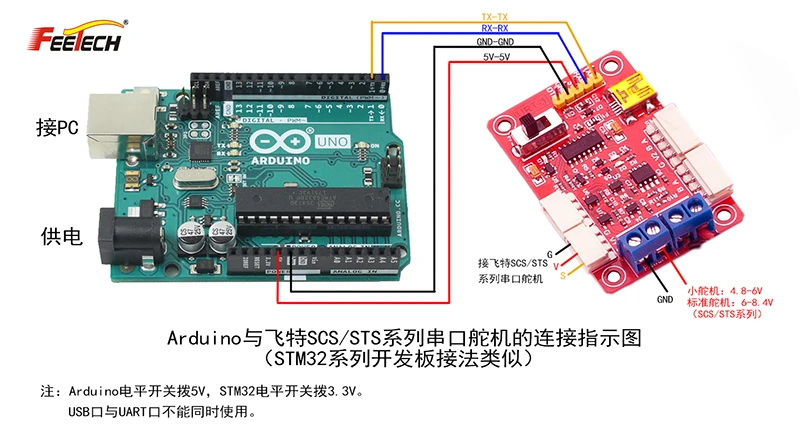
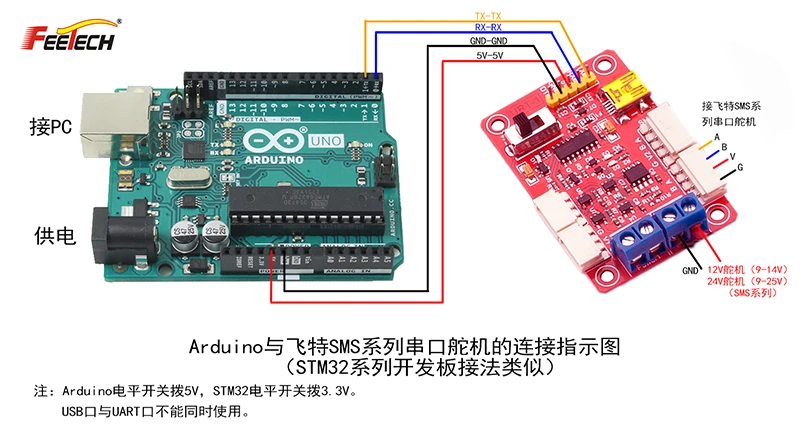
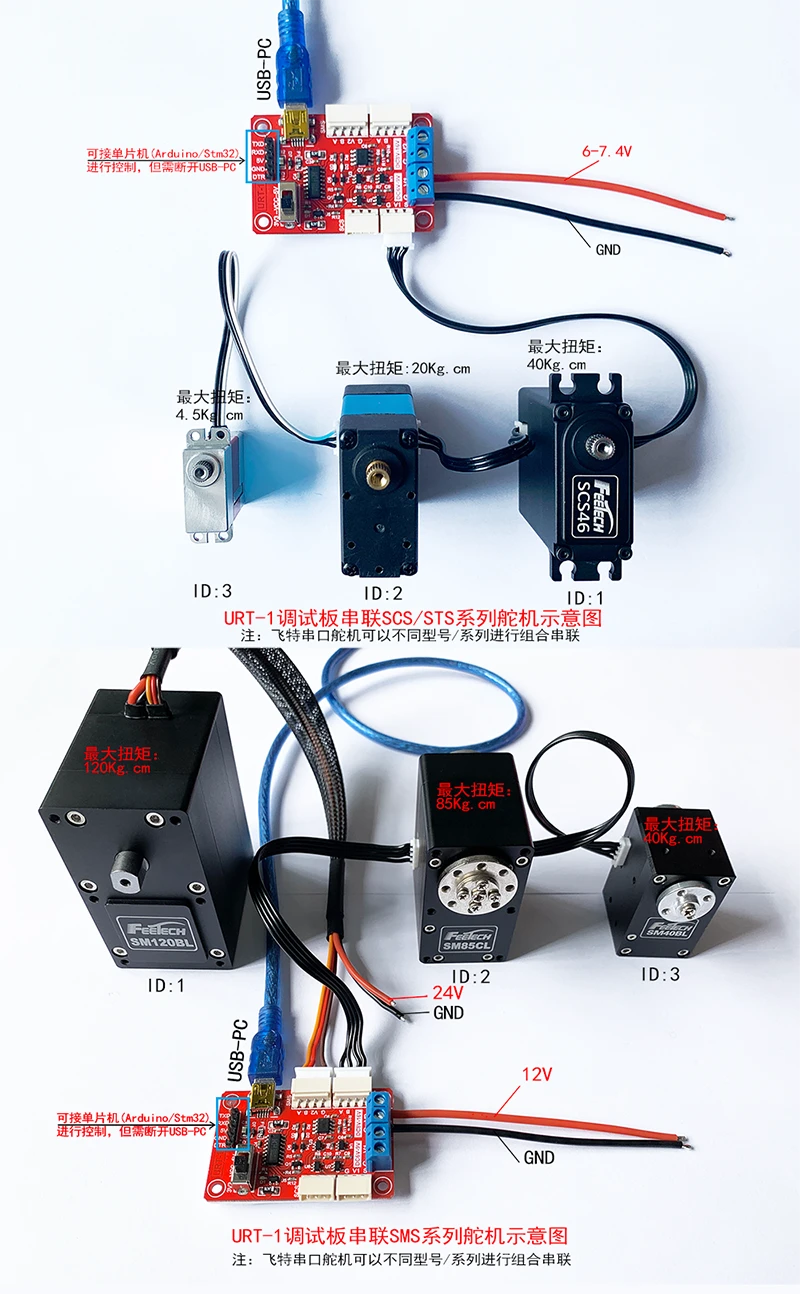
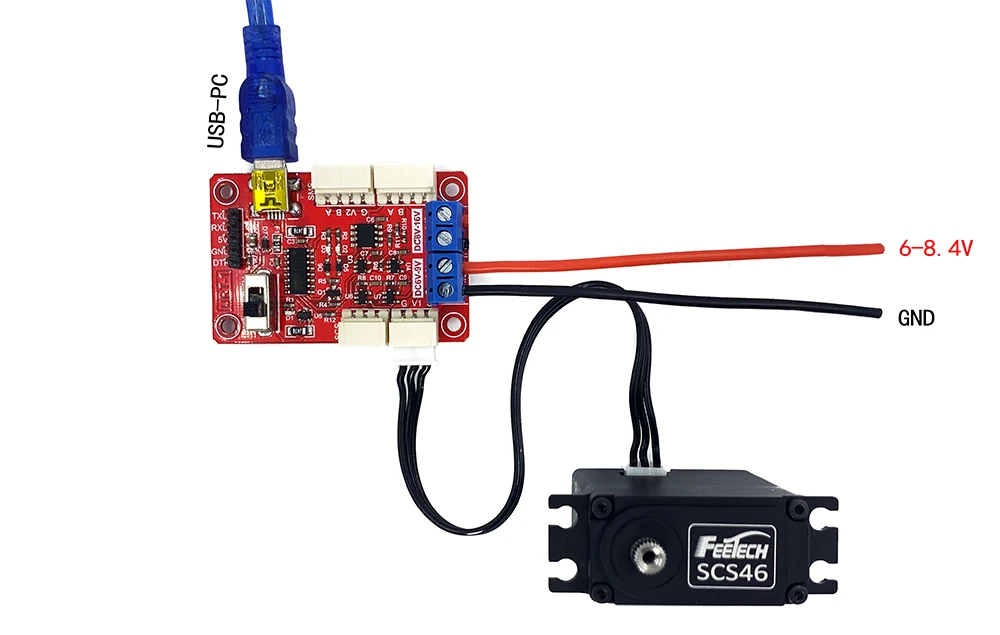
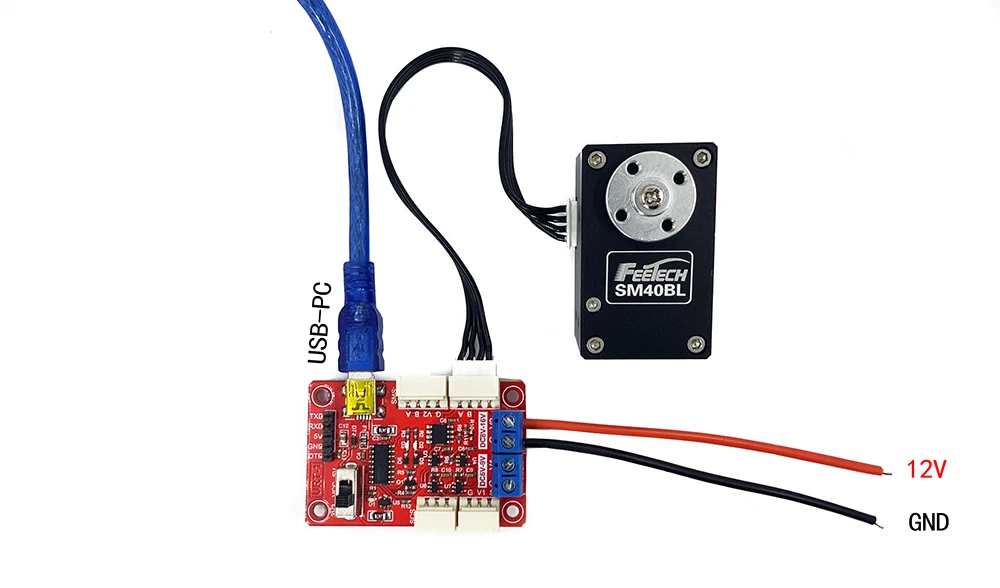
Connecting only one servo in series: Check the hardware connection. If using the URT - 1 board for debugging, the URT - 1 board needs an external power supply:
If it is an SCS series servo, supply 4.8V - 8.4V at the blue terminal (for SCS009, SCS2332, SCS45, it is recommended to supply 4.8 - 6V; for SCS15, SCS115, SCS215, SCS40, SCS40 - DS, SCS46, SCS6560, it is recommended to supply 7V - 8.4V).
If it is an SM series servo, supply 12V at the blue terminal (for SM29BL, SM30BL, SM40BL, SM45BL, SM60CL, SM85CL, SM120BL).
Check the baud rate: The default baud rate of the SCS series is 1000000bps, and the default baud rate of the SM series is 115200bps. If the baud rate is selected incorrectly, the servo cannot be searched.
Connecting multiple servos in series: Before connecting in series, each servo needs to be connected to the FD software individually, and the ID needs to be modified in the programming interface. For example, if three servos are to be connected in series, the IDs of each servo need to be modified to 1, 2, and 3 respectively. Only with different IDs can they be arranged and searched. In addition, if SCS series and SM series servos are connected in series, the baud rate also needs to be modified to the same value in the programming interface. Otherwise, the FD software will only scan out the servos with the same baud rate as the set one.
If the servos still cannot be scanned out even after setting the power supply, baud rate, ID, etc. correctly:
- Try changing to another servo or another computer. Since the URT - 1 needs to load the driver, if the driver is not installed properly, it may not be able to scan.
- Check the wiring. Do not use other servo wires. It is recommended to choose a power supply with a large power. Otherwise, when there is a load, the voltage may fluctuate frequently, resulting in communication time - out and other phenomena.
- If the servo was scanned out during the [sensitive word] operation, but cannot be scanned out when re - connected later, check whether the parameters have been modified, or whether there is a short - circuit caused by reversing the positive and negative power supplies during the operation. It is recommended to save a copy of the parameters locally in the programming interface after connecting during the [sensitive word] operation.